How to add music to iPhone without iTunes
By Mohd Mahmodi, who makes the app. Updated November 5, 2026.
You can keep music on an iPhone without iTunes by putting the audio files in the Files app and opening them with a music player. Apple's Music app won't read files from there, so you need a player that imports them. These steps use Offline Music Player, which is free.
Get the files onto your iPhone
Save your songs anywhere the Files app can see: iCloud Drive, On My iPhone, a USB drive, or a folder you received by AirDrop. If they're on a computer, follow the computer guide instead.
Songs in iCloud Drive have to be on the phone before they can be imported. If a file shows a cloud icon in Files, tap it once to download it.
Import them
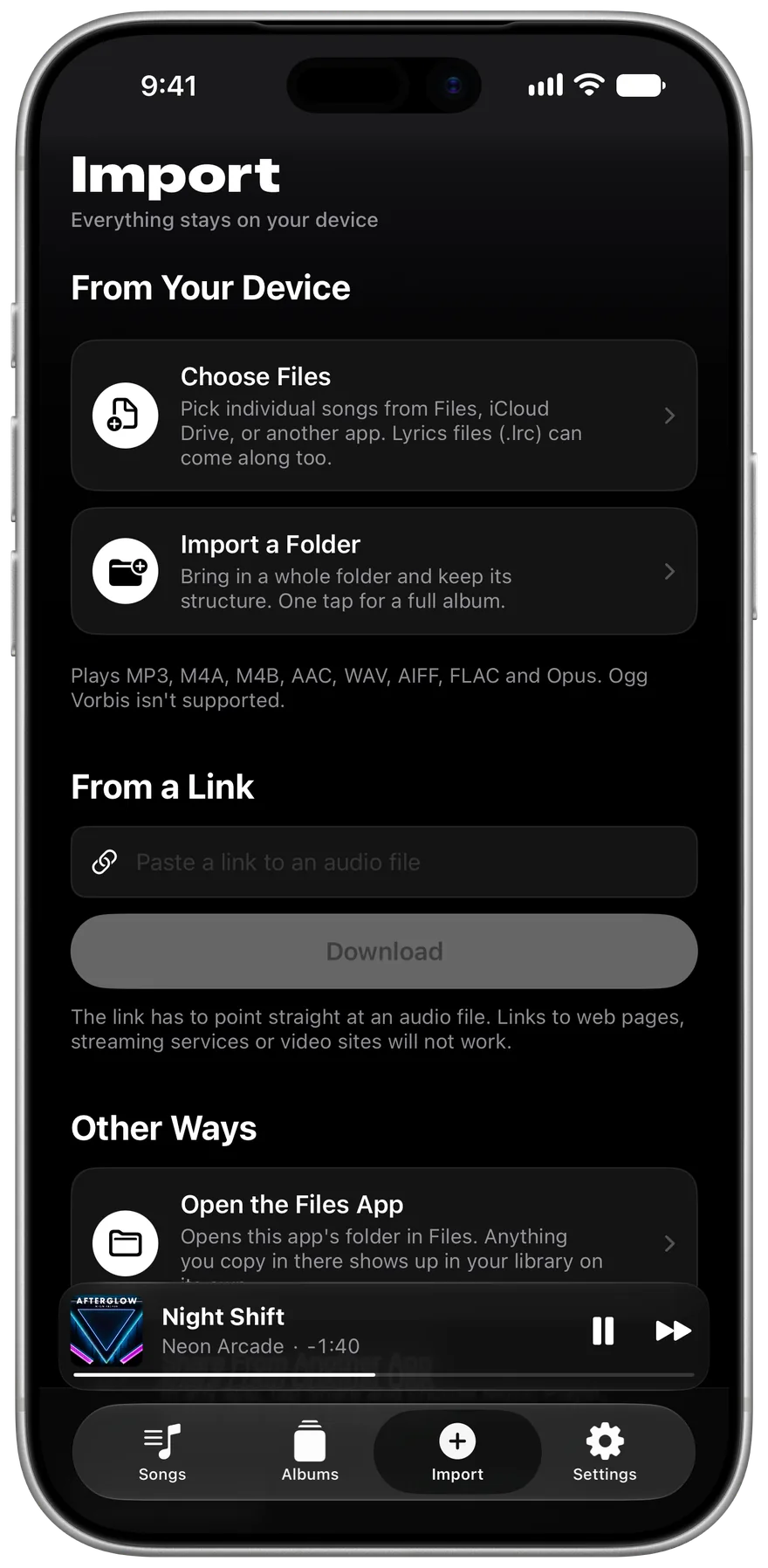
- Open Offline Music Player and go to the Import tab.
- Tap Choose Files to pick songs, or Import a Folder to bring in a whole folder.
- Go to the Songs tab. Your music is there and plays with no connection.
A folder keeps its order and becomes an album under Yours. If a folder has .lrc lyrics files beside the songs, they come along too.
Other ways in
In the Files app or Mail, tap Share on an audio file and choose Music Player. For a file on the web, paste a direct link to it in the Import tab and tap Download. The link has to point straight at an audio file, so web pages, streaming services and video sites won't work.
What happens to the original
The app copies each song into its own folder on your iPhone. You can delete the original afterwards and the song keeps playing, but that copy does use storage. A file you've already imported is skipped, so importing the same folder twice won't fill your library with duplicates.
Related guides
Get Offline Music Player
It's free, and it has no ads.